How to share medical records with a doctor instantly in India

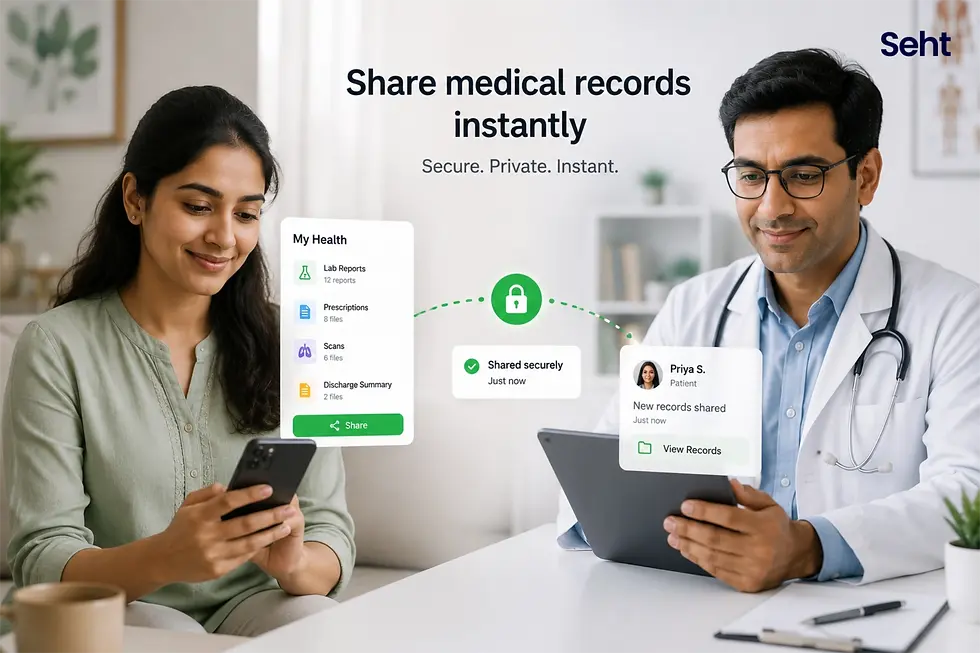
Sharing medical records with a doctor instantly in India whether in a teleconsultation, a specialist visit, or an emergency room is the moment that determines the quality of care you receive. A specialist who sees three years of your blood test history and your complete medication list from the first minute of the consultation delivers fundamentally different care from one starting from verbal history. This guide shows exactly how to share medical records with any doctor in any situation in India from a pre-consultation email to a WhatsApp share in an emergency room using Seht.
For the complete guide to storing and organizing your records so they are shareable on demand, read: store medical records digitally India (https://www.seht.in/post/store-medical-records-digitally-india-2026)
What you'll learn: • How to share records before a specialist consultation for best results • How to share records instantly in a teleconsultation • How Seht's emergency health card shares critical information without login • The ABDM Scan & Share system at ABHA-linked hospitals • What to share in different clinical situations |
Why sharing medical records with your doctor changes the quality of care

When a specialist sees your complete health history from the first minute of a consultation, the appointment becomes fundamentally more valuable. Instead of spending 15 of the 30 allotted minutes reconstructing history from memory often inaccurately the doctor uses that time to interpret, plan, and advise. The result:
More accurate diagnosis: A cardiologist who sees three years of blood pressure readings, two ECGs, and a recent HbA1c makes a better risk assessment than one relying on verbal history
Fewer repeat investigations: When previous results are visible, a doctor orders only the tests that are genuinely new or time-critical not the entire panel because nothing else is available
Better medication decisions: A complete current medication list prevents dangerous drug interactions from new prescriptions
More efficient consultation: The entire appointment can focus on the current problem rather than establishing context
How to share records in different clinical situations in India
Before a specialist consultation: the pre-consultation share
The most high-value record-sharing moment is before the specialist appointment begins. In Seht:
Open the relevant family member's profile
Select the records relevant to this consultation: all reports in the specialist's domain (cardiologist all ECGs, blood pressure logs, lipid profiles; endocrinologist all thyroid panels, HbA1c, fasting glucose; nephrologist all creatinine, eGFR, urine protein values)
Use Seht's 'Share Profile' or 'Share Selected Records' function to generate a shareable link
Send the link via WhatsApp to the doctor's assistant or the clinic's WhatsApp number at least 30 minutes before the appointment
Most specialist clinics in India now accept WhatsApp as a pre-consultation sharing channel. Alternatively, if the clinic has an email address, send the records as a PDF attachment via email the day before.
During a teleconsultation: screen sharing and link sharing
India's major teleconsultation platforms (Apollo 24/7, Practo, 1mg, mFine) all support file sharing during the consultation. In Seht:
Open the relevant family member's profile on your phone
Use the 'Share' function to generate a shareable PDF of the records relevant to this consultation
In the teleconsultation chat window, paste the Seht share link or upload the PDF
Alternatively, use phone screen mirroring to show the Seht profile directly on your computer screen during a video call the doctor sees the records in real time
In an emergency: Seht's shareable emergency health card
In a genuine emergency ambulance, emergency room, first responder the most critical information must be accessible in seconds without requiring the ER doctor to have a Seht account or any app. Seht's emergency health card is designed for exactly this scenario:
Auto-generated from every family member's profile: shows blood group, complete medication list, known drug and food allergies, active chronic conditions, and emergency contact number
Shareable without login: send the card via WhatsApp as a link; the recipient opens it in a browser no app download, no account required
Shareable as a screenshot: screenshot the emergency card and share as an image if link sharing is not possible
For elderly parents in another city: enable Seht family sharing so you or a local relative can share the emergency card instantly from any city
The emergency health card is the Seht feature with the highest potential life impact. Enable it for every family member profile. Share it with your family group so every family member knows how to access it.
At ABHA-linked hospitals: the Scan & Share method
At any ABDM-integrated hospital (government hospitals, Apollo, Fortis, AIIMS, major private chains), your ABHA number allows Scan & Share registration you scan your ABHA QR code at reception, and the hospital's system links to your ABHA health account. Records from previous ABDM-integrated visits are then accessible to the treating team with your consent. This system has saved an estimated 90 crore minutes of patient registration waiting time since implementation. Link your ABHA ID to your Seht profile to keep both systems synchronized.
Clinical situation | What to share | How to share in Seht | Time required |
Pre-specialist consultation | All reports in the specialist's domain + current medication list + allergy list | Generate shareable PDF or link; send via WhatsApp or email before appointment | 3–5 minutes to prepare; send 30 minutes before |
Teleconsultation (Apollo 24/7, Practo, etc.) | Relevant reports + medication list + reason for consultation notes | Share link in consultation chat window or screen-mirror | 1–2 minutes during call |
Walk-in GP visit for known condition | Last relevant investigation + current medication list | Show Seht profile on phone screen; or print quick summary | 30 seconds |
Emergency room patient conscious | Complete medication list, blood group, allergy list, active conditions | Show emergency health card on phone; share via WhatsApp to ER team | < 30 seconds with pre-saved emergency card |
Emergency room patient unconscious | Emergency health card shared by family member remotely | Family member shares Seht emergency card link via WhatsApp from any location | < 30 seconds if family sharing is pre-enabled |
Insurance claim documentation | Complete records relevant to claim + discharge summary + receipts | Generate PDF of relevant records; download and attach to claim | 5–10 minutes |
In simple terms: Sharing medical records with your doctor in India is a 30-second task if your records are organized in Seht. It is a 30-minute task if they are in WhatsApp chats and photo galleries. The difference between these two is not the quality of your records it is the quality of the care you receive. A doctor with your complete history makes better decisions. Seht makes that complete history instantly shareable. |
What not to do when sharing medical records in India
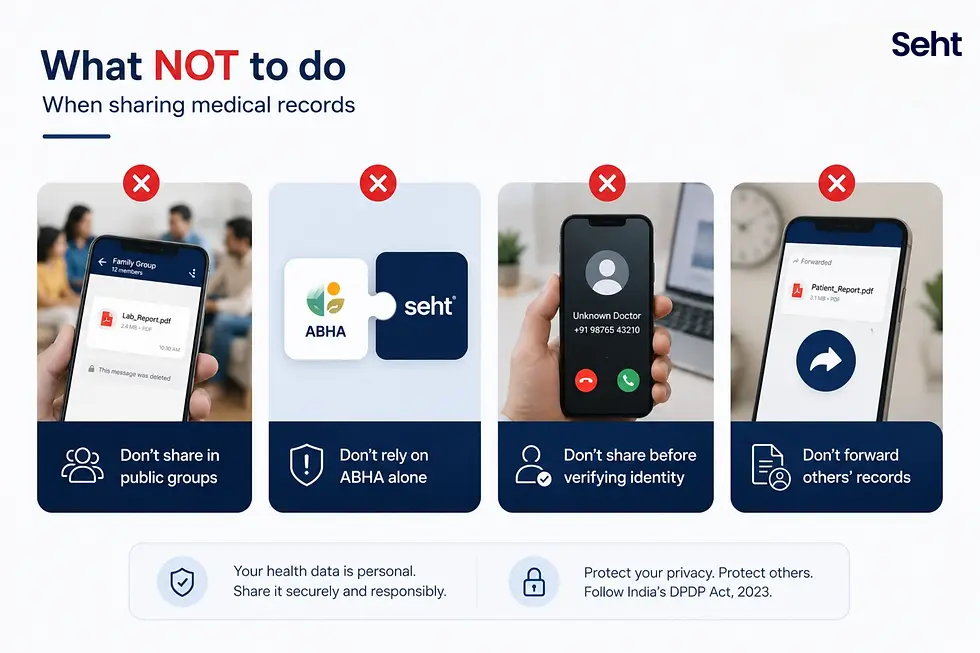
Never share health records in public WhatsApp groups medical data is sensitive personal data under India's DPDP Act 2023; group sharing without specific consent is a potential violation
Do not assume ABHA alone is sufficient: ABHA provides records from ABDM-integrated providers. Seht provides records from every provider the combination covers your complete history
Do not share records before verifying the recipient's identity: sending health records to an unknown contact claiming to be a doctor is a privacy risk verify first
Do not forward other people's health records: even if you receive a document by accident, forwarding another person's health data is a DPDP violation
When sharing records requires urgent action
If you are sharing records and discover a potential dangerous drug interaction alert the prescribing doctor before sharing with a new provider
If an ER team requests records and you cannot access them have a family member share the Seht emergency card remotely
If a specialist cannot accept digital records request they at least view the emergency health card on your phone screen
Emergency: In any medical emergency always call 108 first. While waiting for the ambulance, prepare the Seht emergency health card for sharing with the ambulance crew on arrival.
FAQs
How do I share medical records with a doctor instantly in India?
To share medical records with a doctor instantly India: in Seht, go to the relevant family member's profile, select the records relevant to the consultation, use the 'Share' function to generate a shareable PDF or link, and send via WhatsApp or email. For emergencies, the auto-generated Seht emergency health card shares blood group, medications, allergies, and conditions without requiring the recipient to have any app.
How do I share lab reports for a teleconsultation in India?
For teleconsultation record sharing India: prepare relevant reports in Seht before the call, generate a shareable PDF or link, and share via the consultation platform's chat window during the call. Alternatively, use phone screen mirroring to show your Seht profile in real time. Major platforms (Apollo 24/7, Practo, 1mg, mFine) all support in-consultation file sharing.
How does ABHA Scan & Share work for sharing records at Indian hospitals?
ABHA Scan & Share allows you to register at any ABDM-integrated hospital by scanning your ABHA QR code. The hospital system links to your ABHA health account, making records from previous ABDM-integrated visits accessible to the treating team with your consent. This eliminates paper registration forms and provides automatic access to ABDM-linked clinical history. Link your ABHA ID to Seht to synchronize ABHA records with your complete family health record.
Download Seht — free on iOS and Android
Sharing medical records with your doctor in India is only 30 seconds if the records are organized and shareable in advance. Set up Seht, organize your family's records, and enable the emergency health card for every profile today so the next time you need to share records, it is never the bottleneck.
Download free:


Sources and references
National Health Authority — ABHA Scan & Share and ABDM integration data. https://abdm.gov.in
Apollo 24/7 — Teleconsultation record sharing India. https://www.apollo247.com
Ayuapp — Best app to store medical records India 2026. https://ayuapp.com/blog/best-app-to-store-medical-records-india
Disclaimer: This blog is for informational purposes only and is not medical advice. Seht helps families stay informed, but is not a substitute for professional healthcare guidance.


Comments